# Child Theme Support Guide
Source: Wordpress Developer Resources
Create a child theme folder
Create a new folder in your themes directory, located at
wp-content/themes. Name it after the parent theme like<parent>-child. If you were making a child theme oftwentyfifteen, then the directory would be namedtwentyfifteen-child.Create
style.css.Create a
style.cssat the child theme folder and put in the basic info.
/*
 Theme Name:   Twenty Fifteen Child
 Description:  Twenty Fifteen Child Theme
 Author:       John Doe
 Template:     twentyfifteen
 Version:      1.0.0
*/
- Create
functions.phpand enqueue the stylesheets.
add_action( 'wp_enqueue_scripts', 'my_theme_enqueue_styles' );

function my_theme_enqueue_styles() {
    $parenthandle = 'parent-style'; // This is 'twentyfifteen-style' for the Twenty Fifteen theme.
    $theme = wp_get_theme();
    wp_enqueue_style( $parenthandle, get_template_directory_uri() . '/style.css',
        array(),  // if the parent theme code has a dependency, copy it to here
        $theme->parent()->get('Version')
    );
    wp_enqueue_style( 'child-style', get_stylesheet_uri(),
        array( $parenthandle ),
        $theme->get('Version') // this only works if you have Version in the style header
    );
}
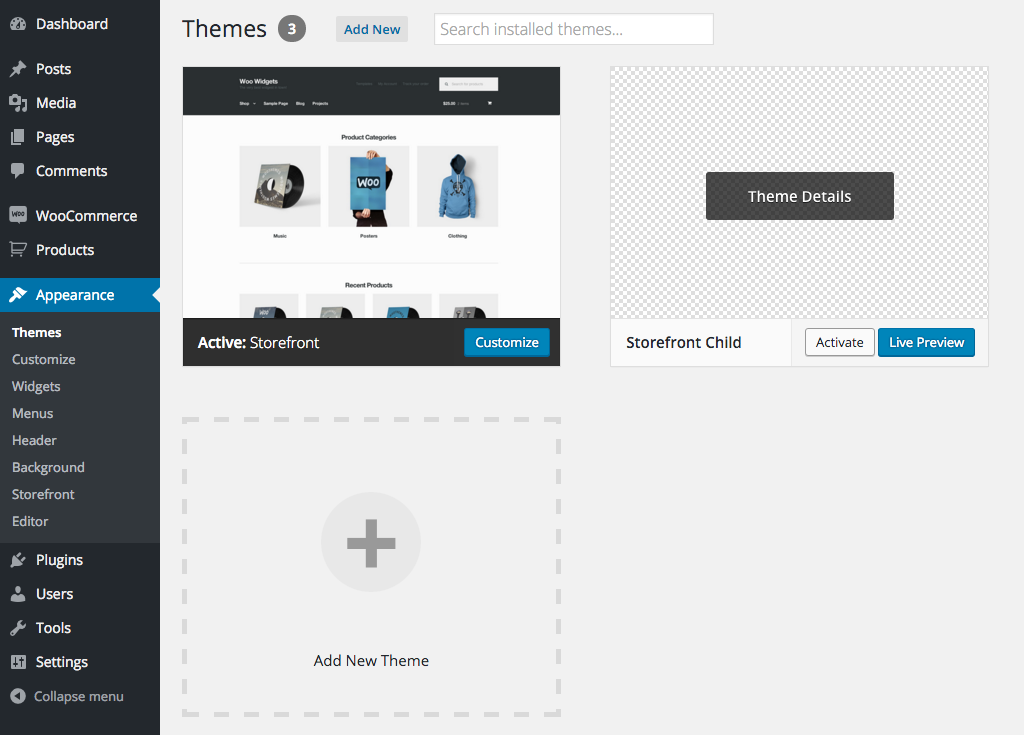
- Activate your child theme at Wordpress admin panel
Appearance > Themes.
# Tagdiv Child Theme Support
Tagdiv's Newspaper theme's file is located at different location from the usual parent theme. Check out their official guides for more details.